Checking the Course Card
Your shots and points come from the course details PazGolf holds for your tees: the par, the ratings, and each hole's par and stroke index. We keep them as accurate as we can, but courses change. Tees get re-rated and holes re-ordered. If the card in your hand says something different, you can check it in a minute and put it right.
Where to find it
- On the scorecard. Once you've chosen your course and tees, the link Course data can be edited if it doesn't match your card is under the players. It opens the check ready to change.
- On a trip. The setup checklist's Check the course cards step, and Course cards in the trip's Manage menu, list every tee the trip plays, so the organiser can check them all before you go. See Setting up your trip.
- On a society day. If a player reports a card, the organiser's day page says A player says the course card is wrong, with a Check the card button.
The check covers 18-hole tees. A 9-hole tee or a custom loop of holes isn't offered.
Does your card match?
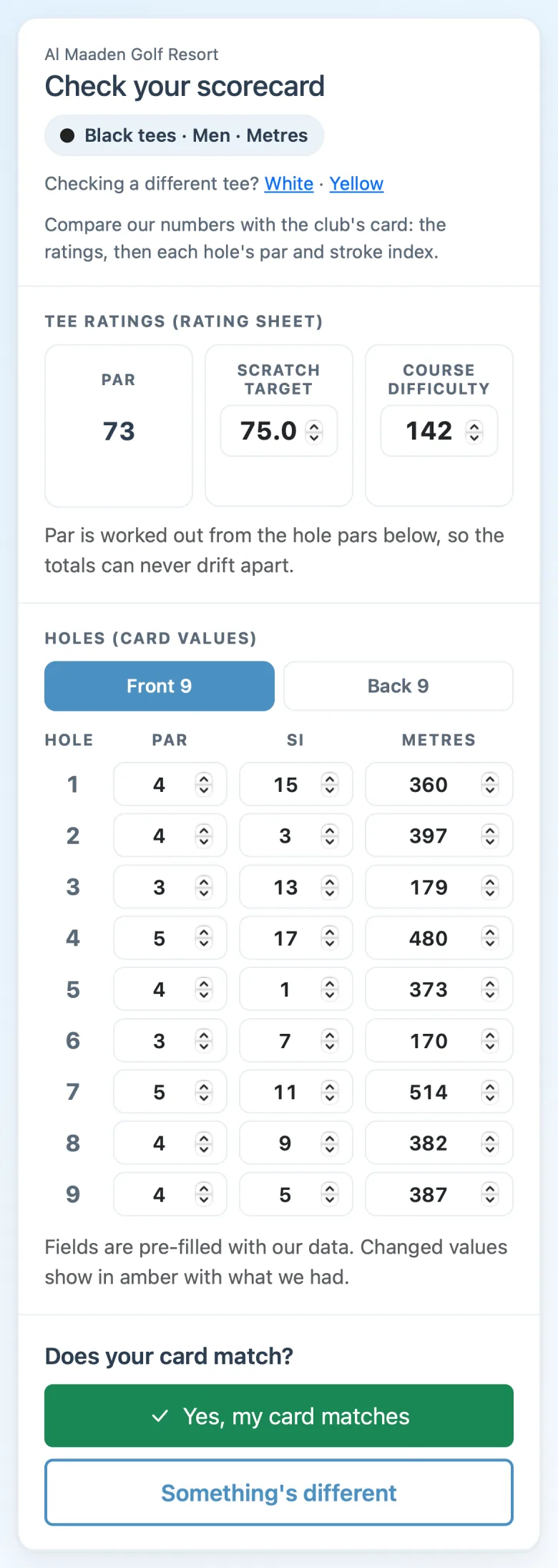
The page shows our numbers for your tees: Par, the Scratch Target and Course Difficulty from the rating sheet, then each hole's par, stroke index and distance, front nine and back nine. Compare them with the card.
- Yes, my card matches - that's it: "Everything you entered matches our data. Thanks for checking."
- Something's different - the numbers open for you to change. Only change what differs from the card in your hand; anything you leave alone counts as a match. A number you change shows in amber, with ours under it.
When something's different
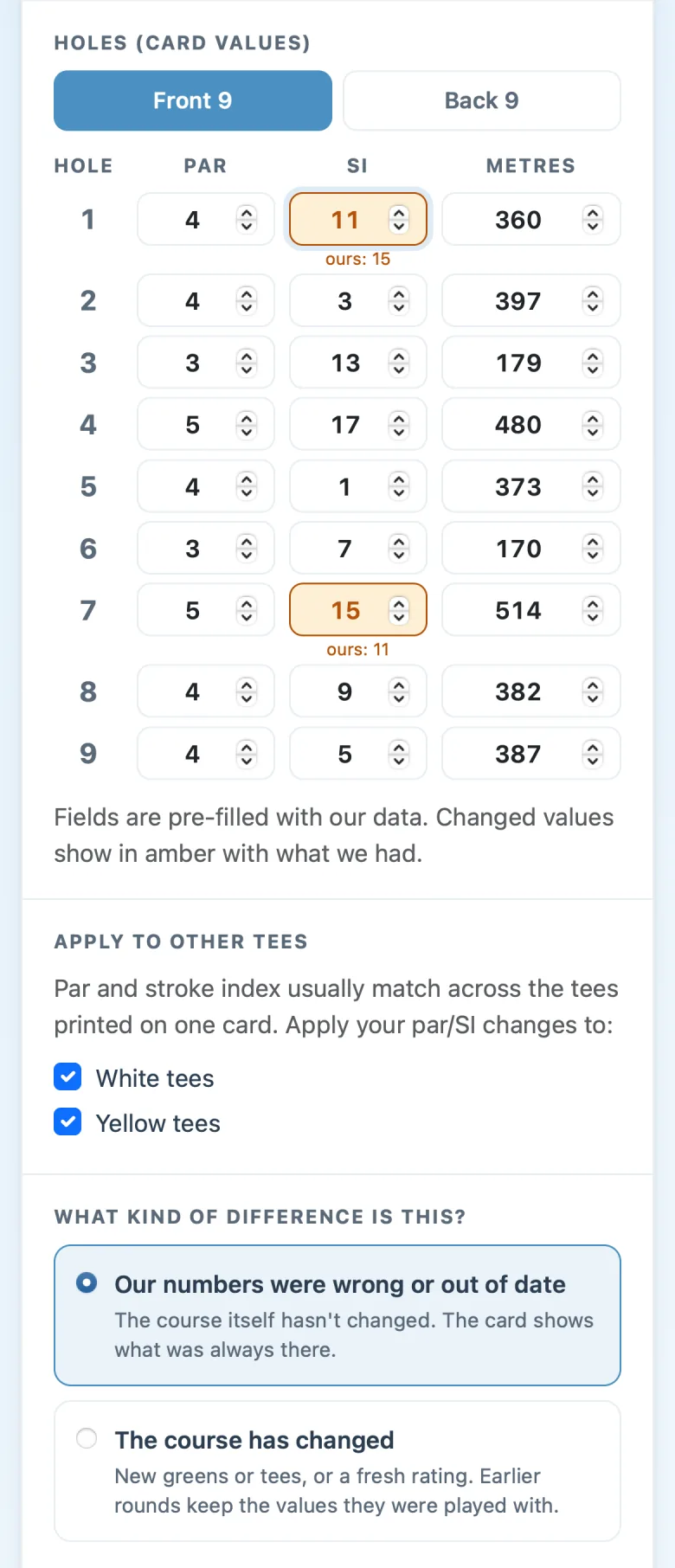
Once you've changed a number, the page asks a little more:
- Apply to other tees. Par and stroke index usually match across the tees printed on one card, so your other tees are ticked for the same change. Untick any that differ. Tees for the other gender aren't ticked: their cards often rank stroke index differently, so only tick those if your card shows one shared column.
- What kind of difference is this? Our numbers were wrong or out of date (the course hasn't changed, the card shows what was always there), or The course has changed (new greens or tees, or a fresh rating; earlier rounds keep the values they were played with).
- How to use it. Use the corrected card adds a corrected version of the tees, for example "White (corrected 15 Oct)", as a choice for your club or society, or for your own rounds. Just report it to PazGolf leaves the card as it is until we've updated it.
- Photos (optional). A photo of the scorecard and the rating sheet helps us update the course for everyone. No time on the tee? Leave them out.
Tap Use the corrected card, or Send report if you're only reporting it. Either way, your report comes to PazGolf, and we check it and update the course for everyone.
Your organiser's round
A competition, a society day or a trip belongs to its organiser, so everyone finishes on the same card.
- A club member who uses the corrected card adds it as a tee choice for the club, and can move their own group's round onto it. The competition itself stays as it is until the organiser moves it.
- A visitor on a society day reports the difference. The organiser is told on their day page, and until they act, the round carries on with the card as it is.
- The organiser can use the corrected card for the whole round. PazGolf then asks Switch to the corrected card?, listing the competitions and live rounds playing those tees, ticked. Live scoring updates on everyone's phones.
Submitted scores always keep the card they were played off. Once a competition has a card in on those tees, it stays on the old card, so everyone finishes on the same one; your report is still with PazGolf for review.