Setting Up a Group's Trip
The Harbour Society is coming to Ballydrennan for a weekend in October, sixteen of them. Megan, who looks after Ballydrennan's groups, sets up their trip while she's taking the booking.
The group's details
Set up a group trip, on the Group trips card or your trips page, opens one short form.
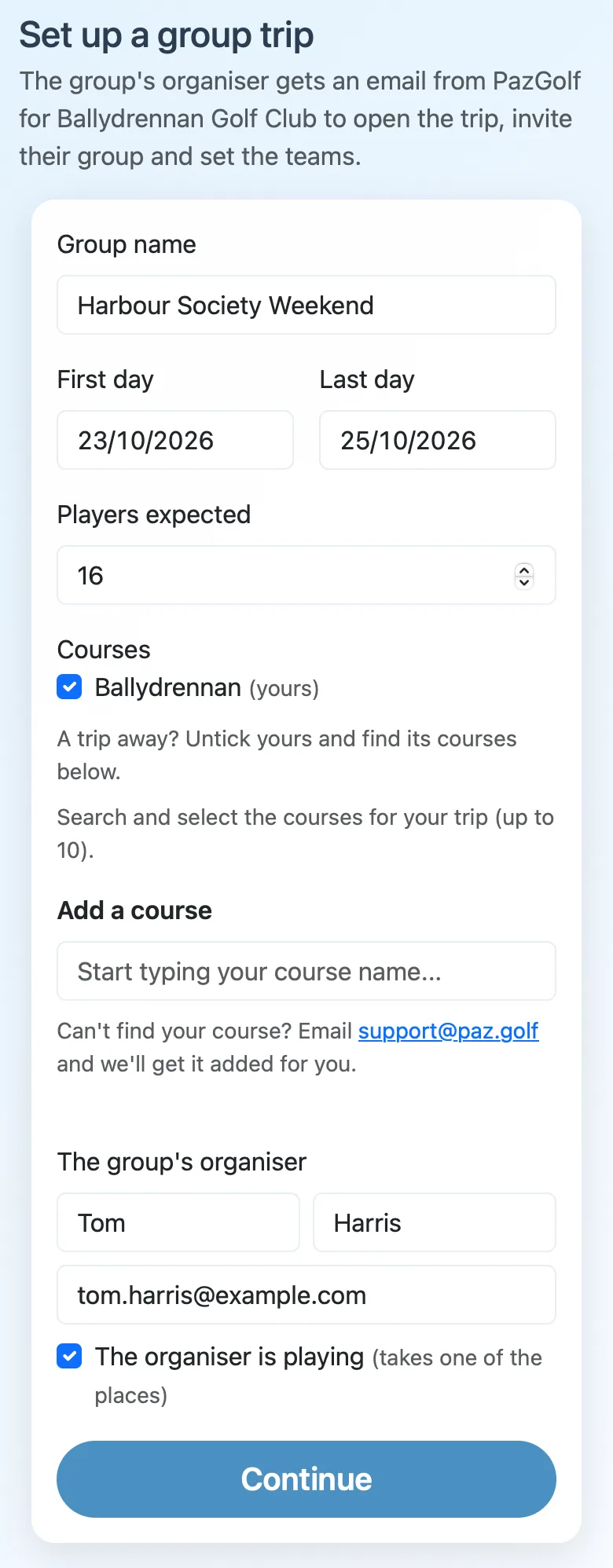
- Group name is what everyone sees as the trip's name: on their phones, the leaderboards and the bar TV.
- First day and Last day, as booked.
- Players expected sets the trip's places. Each player who joins takes one, and you can add more later.
- Courses: your own course is ticked. For a trip away, such as your members' week abroad, untick it and find the courses they're playing below.
- The group's organiser: their name and email. They're the one who gets the trip, invites the group and sets the teams.
- The organiser is playing gives them a place too. Untick it for an organiser who's only organising.
Continue checks everything before anything is made.
Check and confirm
The next page shows the trip as it will be, and what it adds to this month's invoice: the players charged and your price per player. Nothing is set up, and nothing is charged, until you confirm. If it's your free trial trip, it says so, and what your next trips will cost, so you can price them into the group's package from the start.
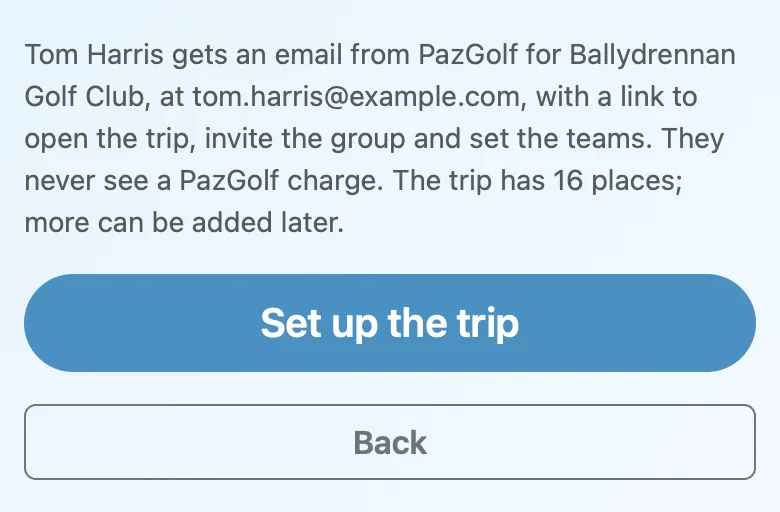
Set up the trip makes it. Back takes you to the form with everything as you left it.
What the organiser gets
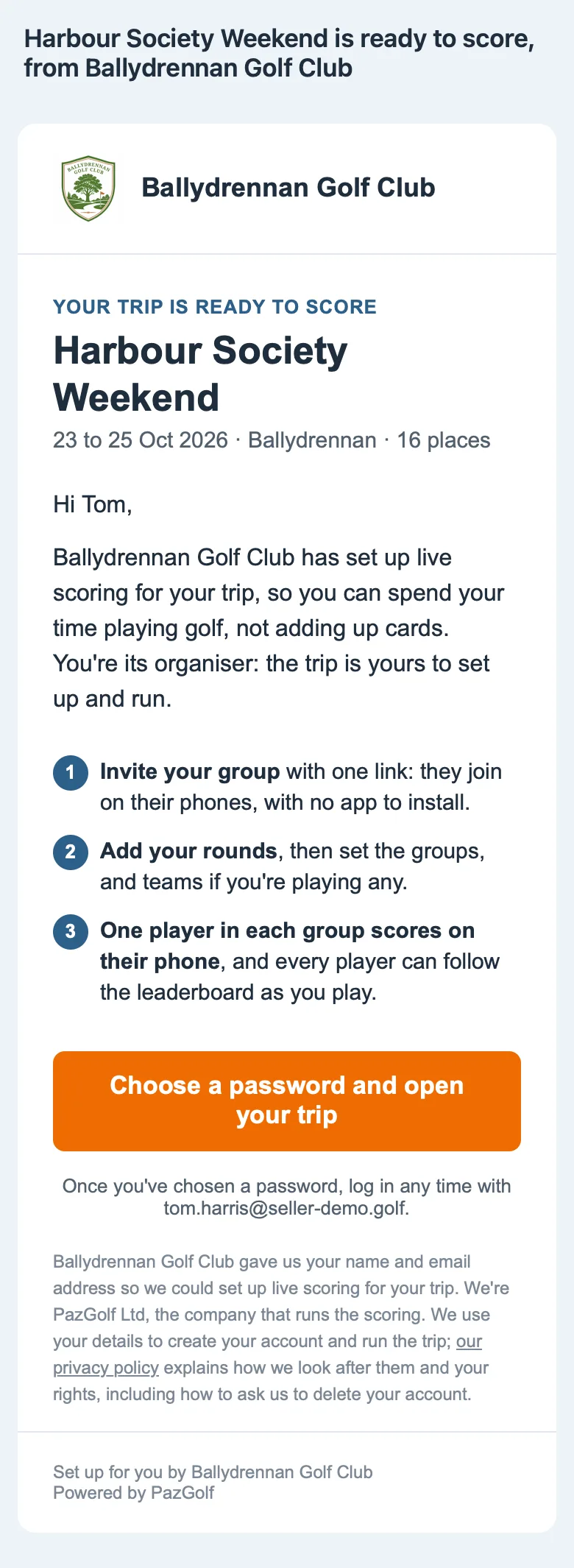
PazGolf emails the organiser on your behalf, with your name and logo at the top. It has the trip's dates and places, what to do next, and a button to open it. At the foot it says you gave us their name and email, as data protection law asks:
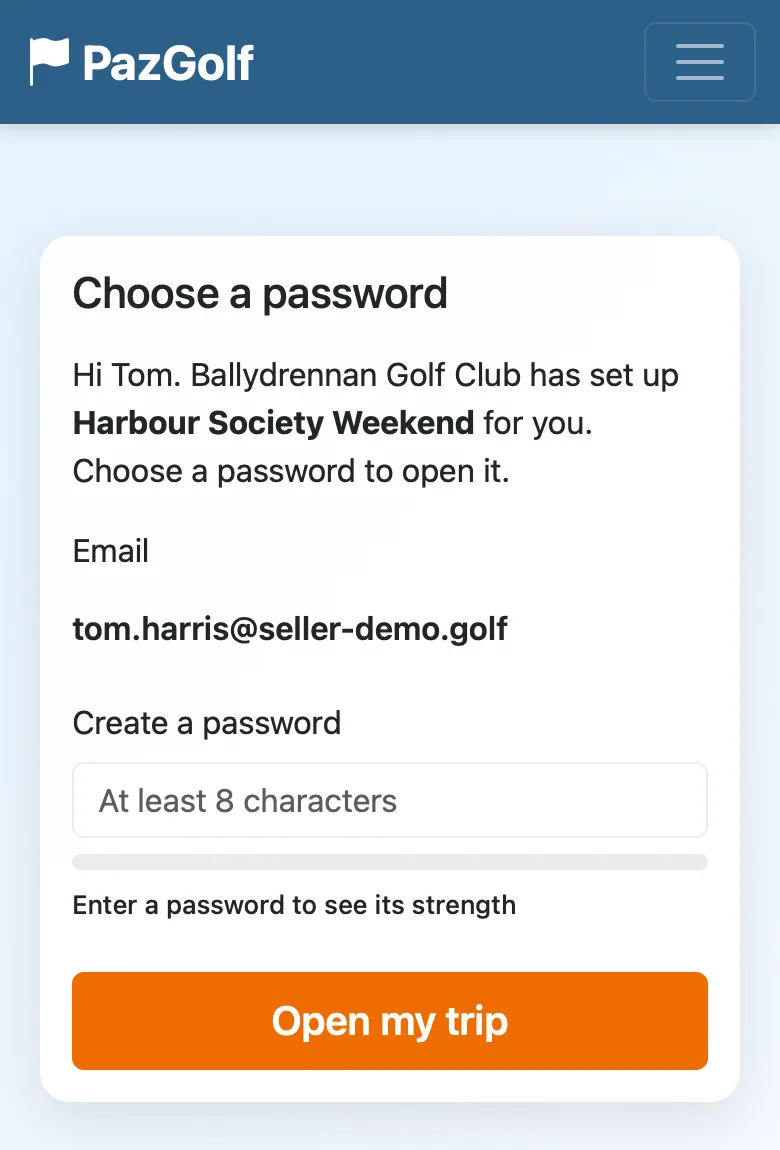
Someone new to PazGolf chooses a password, and the trip opens:
Someone who already has a PazGolf account just logs in.
From there it's their trip. They invite the group with one link, make the groups and pick the teams, exactly as any organiser does (Golf Trips covers it all). They never see a PazGolf price: the trip is yours to sell. Their trip page says Set up for you by Ballydrennan Golf Club.
Running it yourself (travel companies)
A travel company often knows the group better than the group's organiser does: who's coming, who's playing with whom, which rounds are matches. So on a travel company's form, Who runs it? has a second choice.
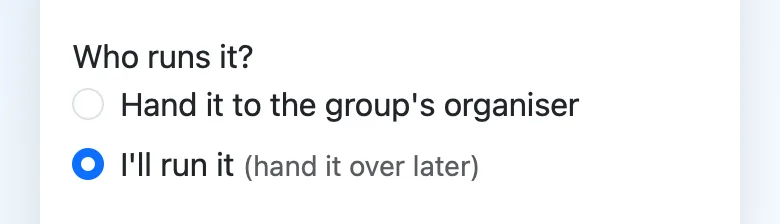
With I'll run it, the trip is yours to run with your own login: nobody is emailed. Set up the players, rounds and teams as an organiser would, then hand it to the group's organiser when it's ready, from your trips page (Your Group Trips goes through it).
A venue always hands the trip to the organiser.