Your Group Trips
Every trip you've set up is in one list: All your group trips on the dashboard card for a venue, your home page for a travel company. The soonest come first; finished and cancelled trips sit at the foot.
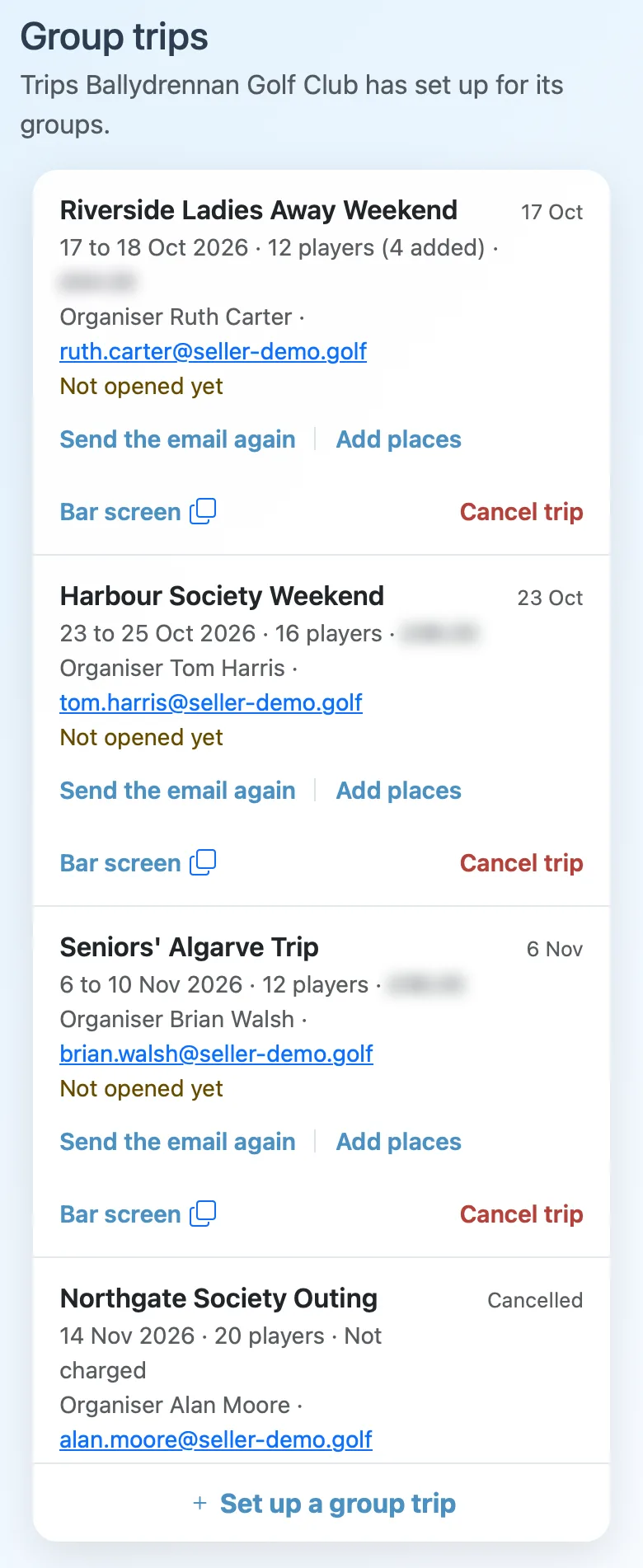
Each line has the trip's dates, its places (and how many you've added), and what it costs you on the invoice, blurred in these pictures. Below that, the organiser and their email. On the right, when it starts, Live while it's being played, then Finished, or Cancelled.
Not opened yet
Not opened yet means the organiser hasn't used the email's link. While that's so, Send the email again sends it to them again: handy when it's gone to their junk mail, or they've lost it.
A travel company can also take it back: run the trip itself again, and hand it to someone else later. It asks first, and the old email's link stops working. Once the organiser has opened the trip it's theirs, and neither is offered.
Adding places
Add places asks how many more, then shows what they add to your invoice before anything changes. They're there at once, and the group can invite more players. Whether you charge the group for them is up to you.
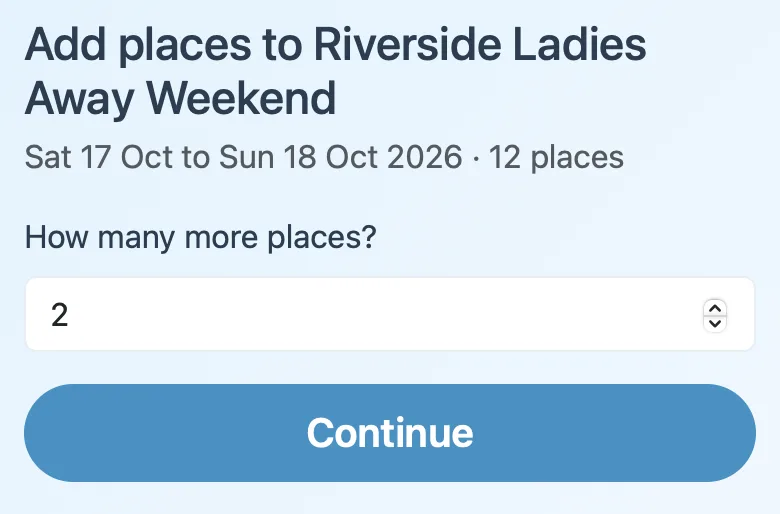
You can add places from before the trip right up to its last day. On your free trial trip they cost nothing.
The bar screen
Bar screen opens the trip's leaderboard for a TV, with no login: the round being played, the cup and the players' standings, all following the round as the cards go in (the shared link, for the bar TV shows it). The copy button beside it copies the link, to open on the clubhouse TV.
The organiser can stop sharing it from their trip page. The line then says Bar screen off: the organiser stopped sharing.
Handing it over (travel companies)
A trip you're running says Run by you, with Manage trip to set up its players, rounds and teams. When it's ready, Hand over gives it to the group's organiser.
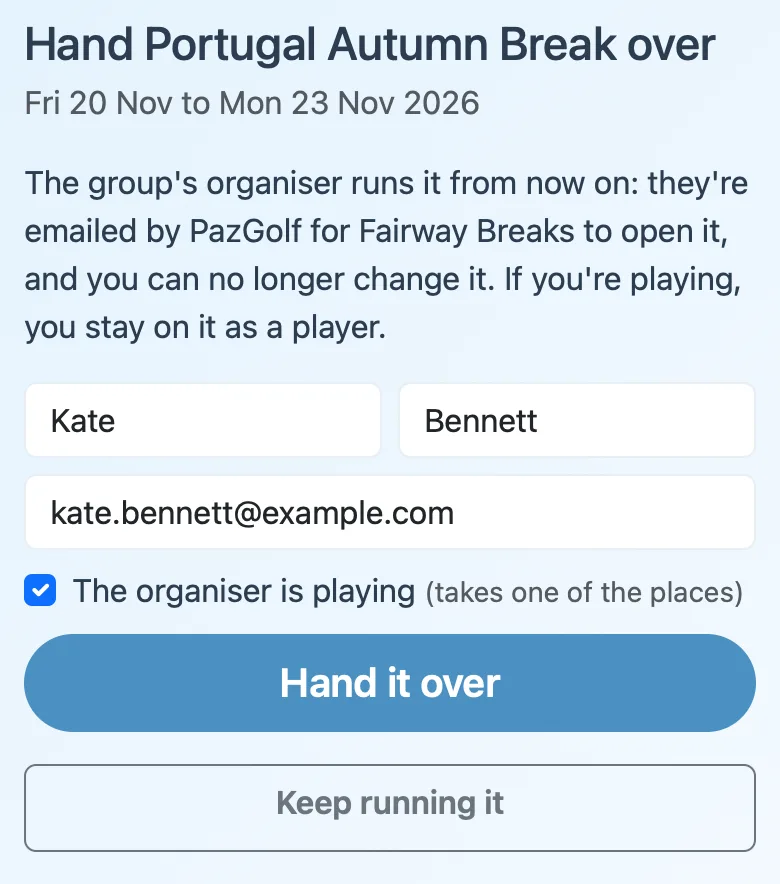
Once players have joined, you can choose one of them as the organiser, or someone not on the trip. From then on it's theirs, and you can't change it. If you're playing, you stay on it as a player.
Cancelling a trip
Cancel trip is there until the trip's first day. It says what happens before anything does.
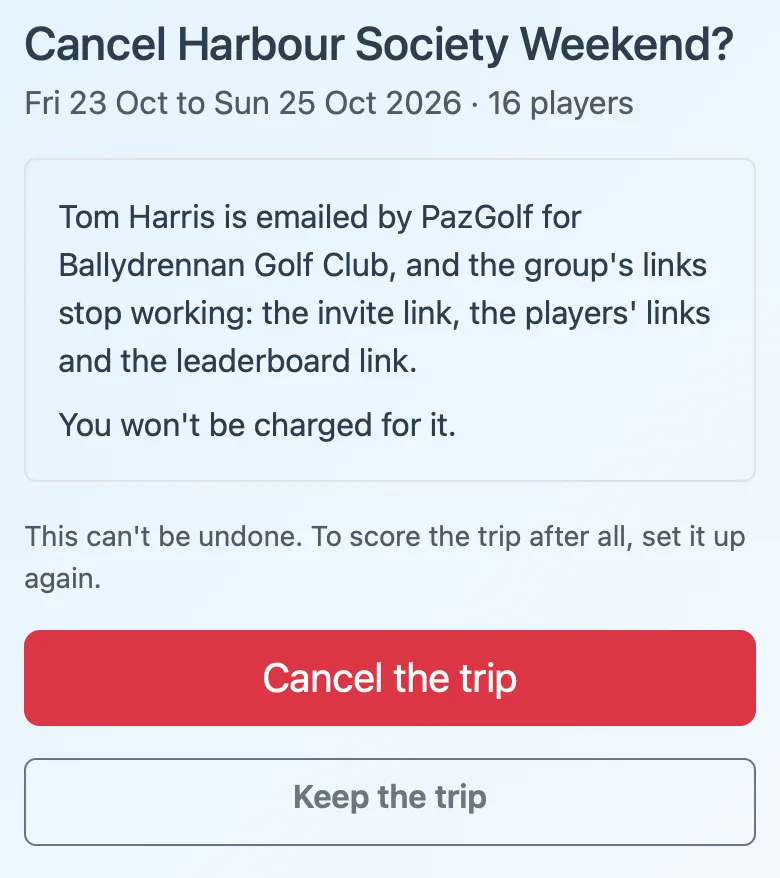
The organiser is told, and the group's links stop working. What happens to your invoice depends on where the trip is:
- Not invoiced yet: it comes off, and you're not charged.
- Already on an invoice: what you paid comes off your next one.
- Your free trial trip: it costs nothing, and your free trial can be used on another trip.
It can't be undone: to score the trip after all, set it up again.